Tracker
With the animundo Tracker, you can monitor your dog’s location and activity. You can also view information about the battery level and the temperature measured by the tracker. Features such as geofencing, route tracking, heatmaps, activity analysis and various notifications help you keep an eye on your dog throughout the day.
Activate the Tracker
Activate the Tracker
When you purchase an animundo Tracker, you receive an instruction manual containing a personal QR code or activation code. Keep this manual, as you will need it to activate your tracker.
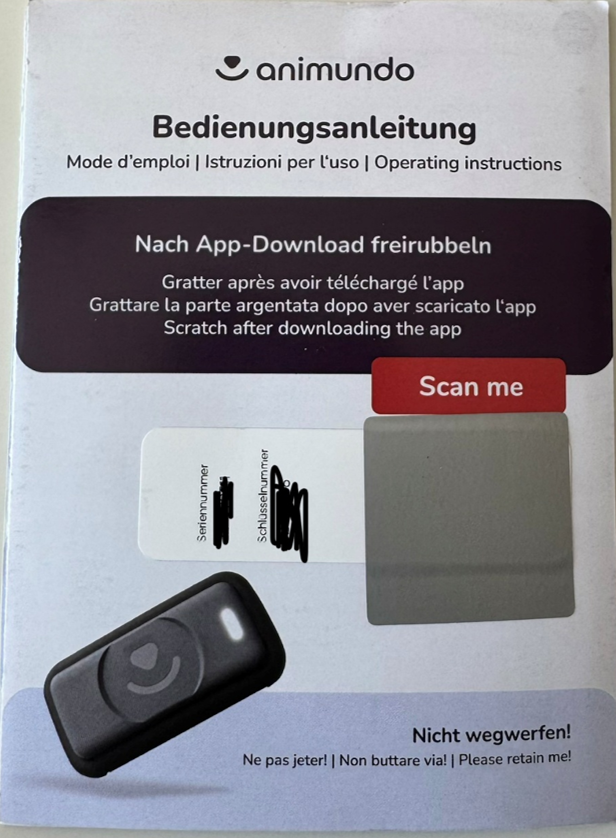
To connect your tracker:
- Open the pet profile of the animal you want to connect the tracker to.
- Scroll down to “animundo Tracker” and tap “Connect”.
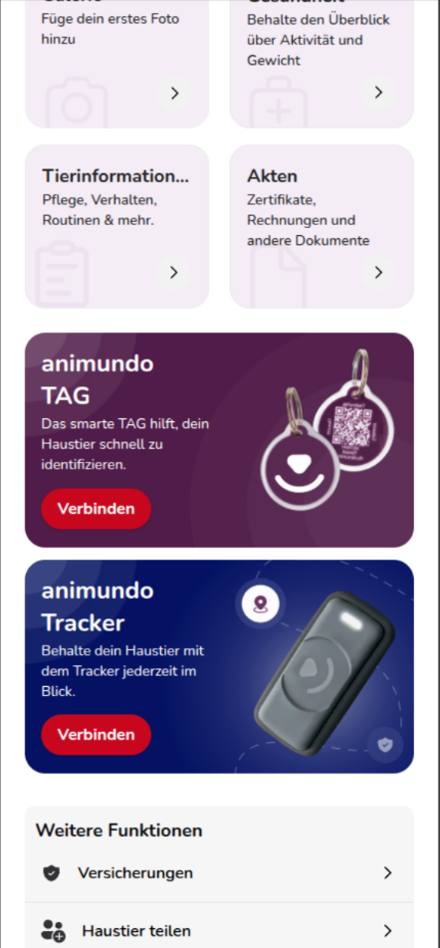
- Select “Activate Tracker”.
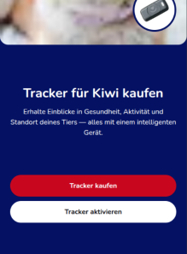
- Scan the QR code on the supplied instruction manual.
- Follow the remaining steps in the app to activate the tracker and assign it to your pet.
- Once the activation is successful, the confirmation “Tracker Added” will appear.
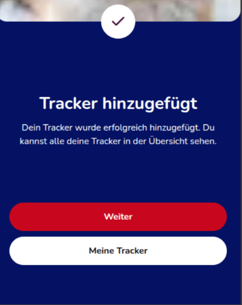
The tracker is now assigned to your pet, and the corresponding tracking features are available.
Manage Trackers
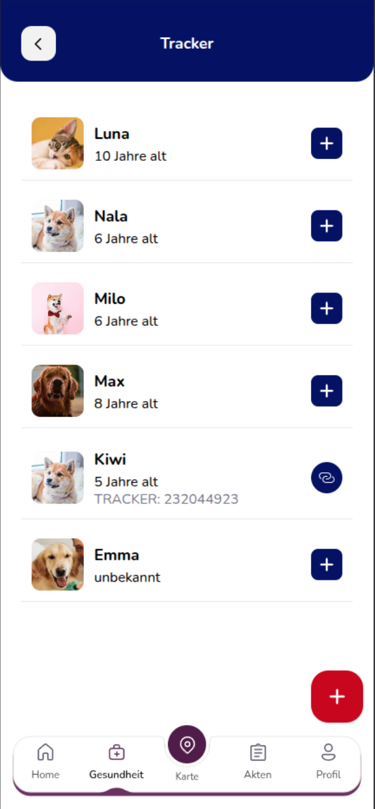
The Tracker menu provides an overview of your pets and their assigned trackers.
Under “Manage Trackers”, you can:
- Connect a new tracker to a pet
- See which pet already has a tracker assigned
- Disconnect an existing tracker
Once the tracker has been successfully connected, the activity tracker will also appear in your pet’s profile.
Open the Tracker on the Map
You can access the tracker’s location features through the map:
- Tap “Map” in the bottom navigation bar.
- Tap the tracker icon showing a dog and a wireless signal on the right.
- The tracker map will open.
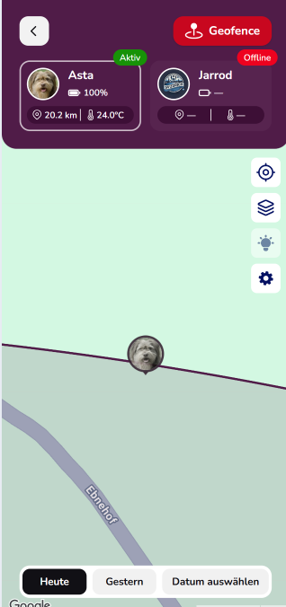
Your connected trackers are displayed at the top of the screen. For each tracker, you can see important information such as:
- Tracker status
- Battery level
- Distance to your pet
- Temperature measured by the tracker
If you have connected multiple trackers, you can switch between your different pets.
Map View and Location Features
Various icons and display options are available on the tracker map.
You can use the location icon to centre the map on the relevant location.
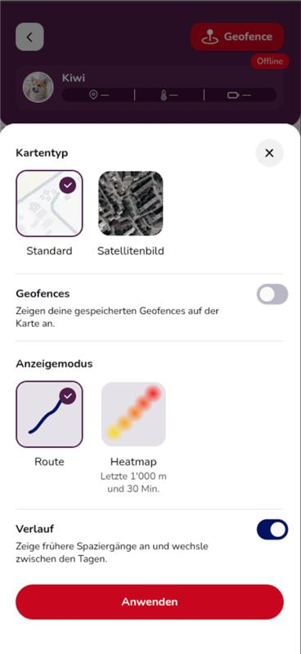
The map icon allows you to customise how the tracker map is displayed. The following options are available:
Map Type: Switch between the standard map and satellite view.
Geofences: Choose whether your saved safe zones should be displayed on the map.
Route: Displays the route your pet has travelled on the map.
Heatmap: The heatmap shows the last 1,000 metres of your pet’s movement within the past 30 minutes. This helps you quickly identify the areas where your pet has recently moved or spent time.
History: Enable the history feature to view previous movements and walks and switch between different days.
Create a Geofence
A geofence allows you to define a specific area as a safe zone for your dog. If your dog leaves an active safe zone, animundo can notify you.
To create a new geofence:
- Open the “Geofence” section on the tracker map.
- Tap the plus icon (+).
- Search for an address or select the desired centre of the safe zone directly on the map.
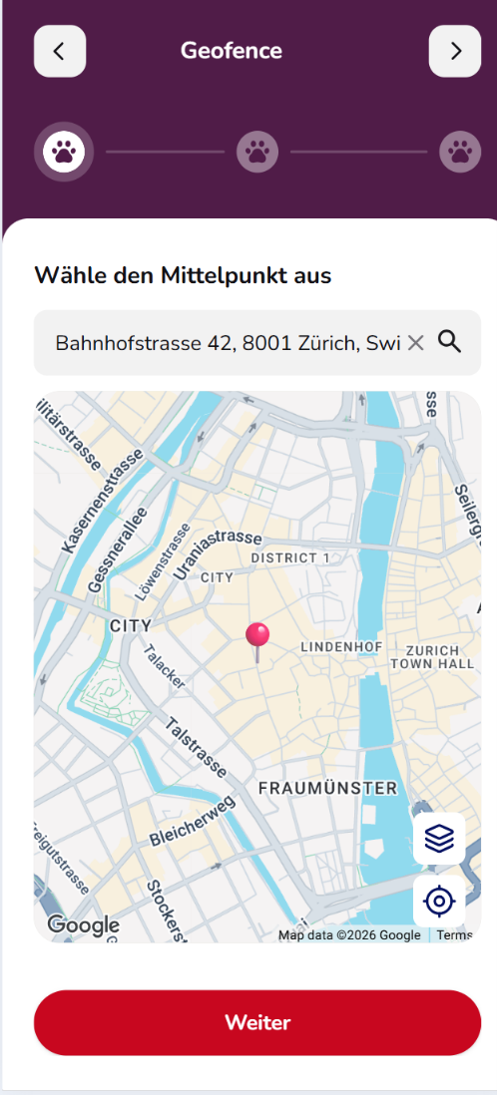
- Tap “Next”.
- Set the desired radius of the zone. You can choose a radius between 100 and 2,000 metres.
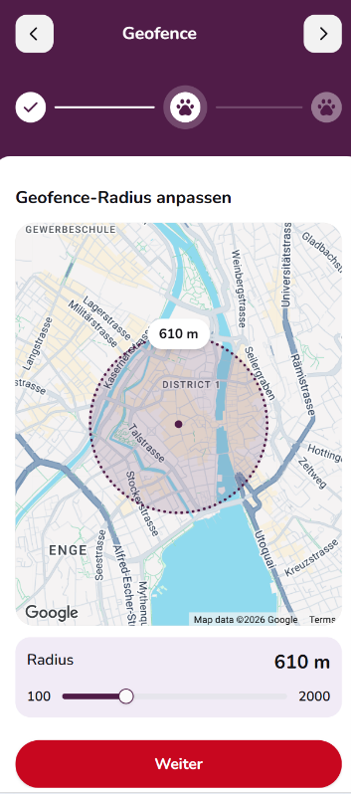
- Tap “Next” again.
- Give your safe zone a name, such as “Home”, “Office” or “Train Station”.
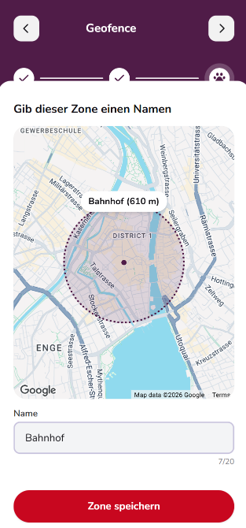
- Tap “Save Zone”.
The geofence will then be saved in your overview.
Manage Geofences
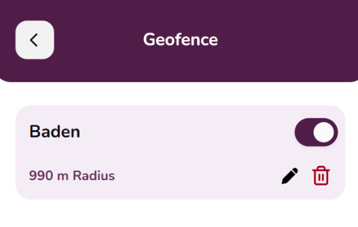
IThe geofence overview displays the safe zones you have already created, including their defined radius.
Several options are available for each zone:
- Use the toggle switch to activate or deactivate a geofence.
- Use the pencil icon to edit an existing geofence.
- Use the trash icon to delete a geofence.
- Use the plus icon (+) to create additional safe zones.
In the map settings, you can also choose whether your saved geofences should be displayed directly on the tracker map.
Geofence Notifications
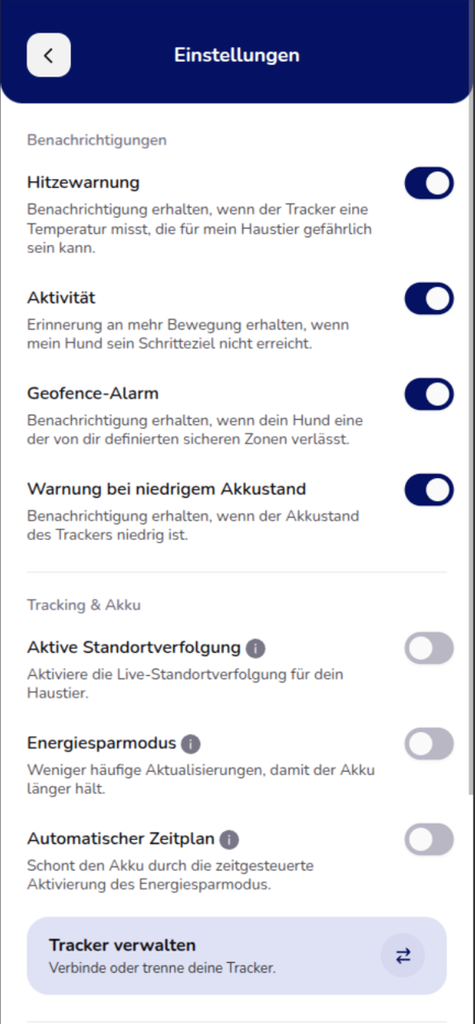
To receive notifications when your dog leaves a safe zone, the geofence alert must be enabled in the tracker settings.
To do this, open Tracker Details → Settings and activate “Geofence Alert”.
As soon as your dog leaves an active safe zone, you will receive a corresponding notification.
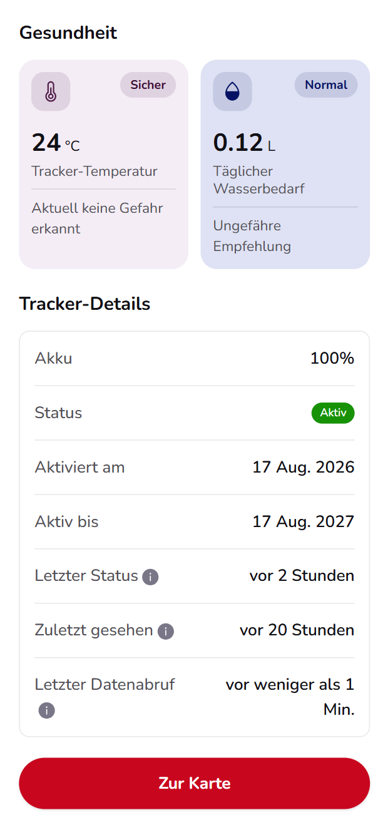
Tracker Details
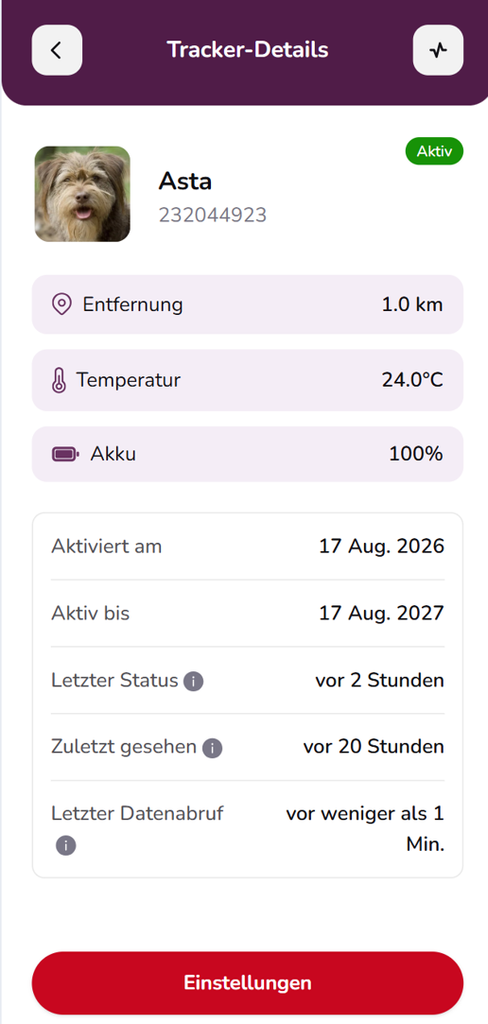
Tap the gear icon of the selected tracker to open its details.
Here you can find information such as:
- Current distance
- Temperature measured by the tracker
- Battery level
- Activation date
- Tracker validity
- Time of the last status update
- When the tracker was last seen
- Time of the last data retrieval
Under “Settings”, you can configure additional features and notifications.
Tracker Settings and Notifications
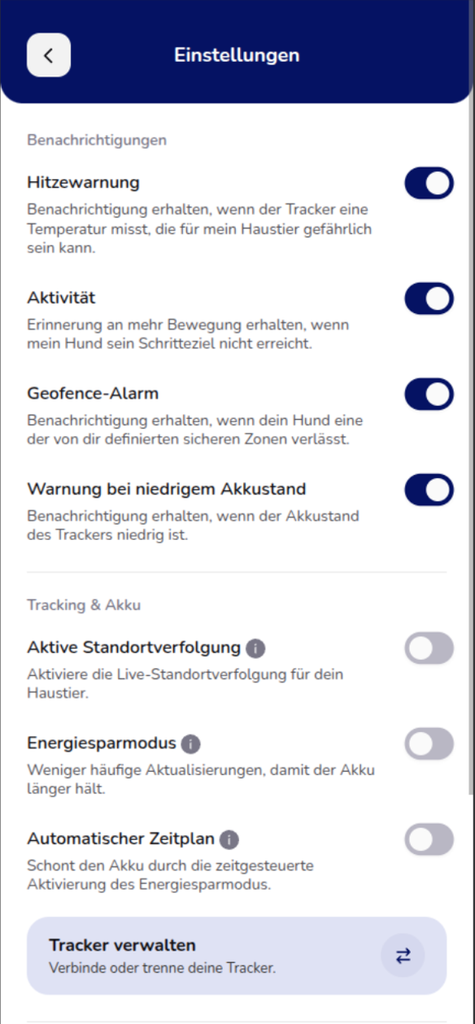
In the settings, you can choose which tracker notifications you would like to receive.
Heat Warning
You will receive a notification if the tracker measures a temperature that could be dangerous for your pet.
Activity
You can receive a reminder if your dog does not reach its defined daily step goal.
Geofence Alert
You will be notified when your dog leaves an active safe zone that you have defined.
Low Battery Warning
You will receive a notification when the tracker’s battery level is low.
Additional tracking and battery settings are also available:
Active Location Tracking
Enables live location tracking for your pet.
Power Saving Mode
Reduces the frequency of updates to extend the tracker’s battery life.
Automatic Schedule
Allows you to activate Power Saving Mode according to a predefined schedule.
Track Your Pet’s Activity
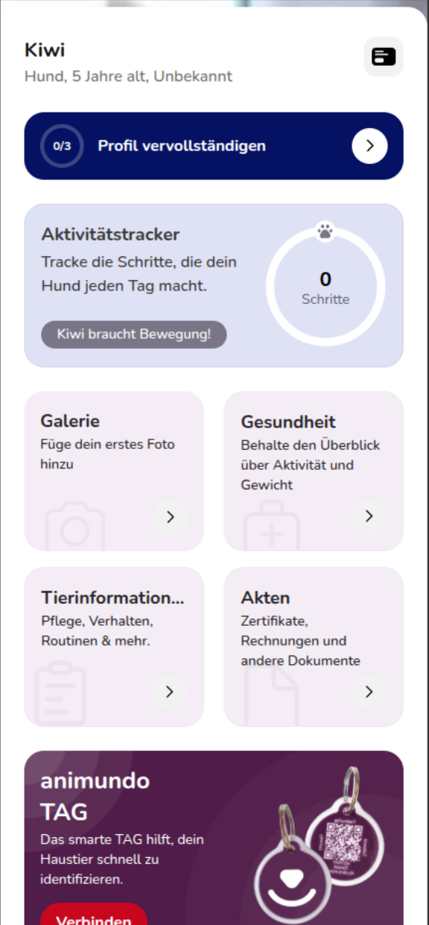
Once you have connected a tracker, you will find the activity tracker in your pet’s profile. Here, you can view your pet’s movement and health information.
You can analyse fitness activity over different periods, such as Today, Week and Month.
The available information includes:
- Number of steps
- Total number of steps during the selected period
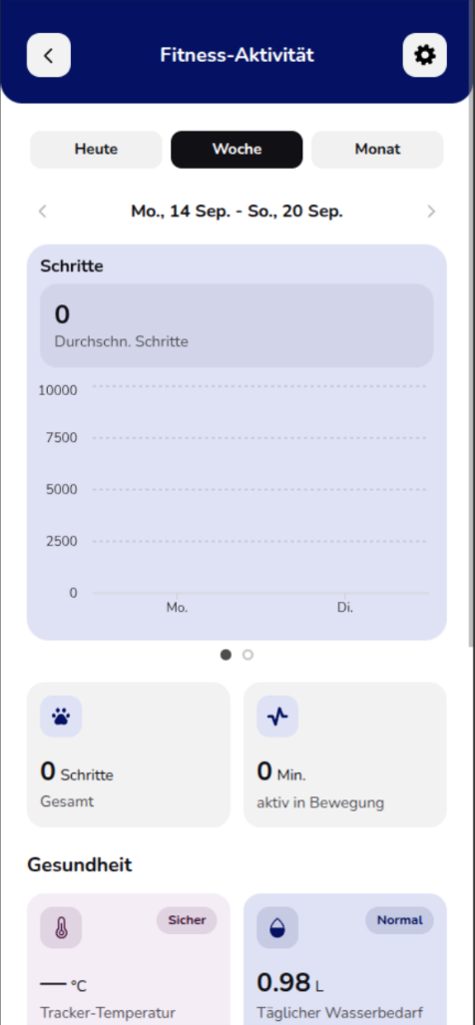
- Time spent actively moving
- Activity trends
- Temperature measured by the tracker
- Estimated daily water requirement
This allows you to see how active your dog is throughout the day and how its activity develops over time.
Temperature
The tracker measures the temperature at the device and displays it in the health section. This information helps you identify unusual or potentially dangerous temperatures for your pet at an early stage.
If the heat warning is enabled, animundo can also notify you when a potentially dangerous temperature is detected.
Important: The displayed temperature is measured by the tracker and does not represent your pet’s body temperature.
Daily Water Requirement
In the health section, animundo also displays an estimated daily water requirement for your pet.
As a general guideline, approximately 60 ml of water per kilogram of body weight per day is used.
Example:
For a dog weighing 10 kg, the estimated daily water requirement is approximately 600 ml per day.
This calculation is intended as a general guideline. Actual water requirements may vary depending on factors such as food type (wet or dry food), activity level, weather conditions and health status.
This recommendation does not replace veterinary advice.
Frequently Asked Questions
How does the animundo Tracker work?
The tracker is attached to your dog’s collar, records movement data and can also transmit current GPS data. This information is transferred directly to the animundo app, allowing you to monitor your dog’s activity and location at any time.
Why does the tracker come with an annual subscription and recurring costs?
The animundo Tracker has a built-in SIM card that enables GPS and activity data to be transmitted. The corresponding fees are included in the purchase price for the first year. After that, an annual subscription fee applies.
Can I use the tracker with multiple pets?
Each tracker is assigned to one pet profile in the app. However, you can manage multiple trackers or reassign the same tracker to another pet. A tracker can only be assigned to one pet at a time.
Which pets is the tracker suitable for?
The tracker is suitable for dogs weighing 5 kg or more. For smaller dogs, you should check whether they can wear it comfortably.
Do I need an internet connection for the tracker to work?
An internet connection is required to transfer data to your smartphone. The tracker regularly stores data in encrypted form on a European server so that you can access it whenever needed.
Can I use the tracker without GPS?
Yes, you can still track your dog’s daily steps without GPS. However, GPS is required to determine your dog’s location.
Are there any additional costs?
Unlike other providers, data transmission is already included in the first year of use. After this period, an annual fee of CHF 79.– applies.
How does the tracker monitor my dog’s fitness?
The tracker counts steps and provides a clear overview of how active your dog has been today, this week, this month or this year. You can also set daily goals and receive notifications if your dog is not getting enough exercise.
Is the animundo Tracker waterproof?
Yes, the tracker has an IP67 water-resistance rating. This means it can withstand immersion in water up to 1 metre deep for up to 30 minutes without damage. It can therefore handle rain and brief contact with water without any problems.
However, we do not recommend prolonged swimming while wearing the tracker.
How long does the tracker’s battery last?
Battery life depends on how the tracker is used, for example whether GPS is activated. You can check the current battery level in the app at any time and will be notified when it is time to recharge.
Power Saving Mode
The battery lasts up to 7 days, and data is transmitted every 60 minutes. However, when GPS tracking is activated, it may take up to 60 minutes before the live location becomes visible on the map.
Active Mode
The battery typically lasts up to 4 days, and data is transmitted every 10 minutes. Accordingly, when GPS tracking is activated, the maximum waiting time before the live location becomes visible is reduced to 10 minutes.
Continuous GPS Tracking
With GPS continuously activated, battery life is approximately 7–11 hours. In this mode, you can continuously see your dog’s location on the map, provided the tracker has network reception.
To maximise battery life, we recommend keeping the battery level above 20%.
Can I manage multiple trackers in the app?
Yes, you can easily connect, disconnect or reassign multiple trackers in the animundo app settings. This is particularly useful if you have several dogs.
What happens if my dog loses the tracker?
If your dog loses the tracker, you can view its last known location in the app. This gives you a good chance of finding the device quickly.
Is my data secure when using the tracker?
Yes, location and activity data are encrypted during transmission and stored on European servers. This helps keep your information and your dog’s data securely protected.
Does the tracker work abroad?
The tracker has been tested and confirmed to work in the following countries:
Switzerland (CH), Germany (DE), Austria (AT), France (FR), Italy (IT), Spain (ES), Portugal (PT), Denmark (DK), Belgium (BE), Czech Republic (CZ), Hungary (HU), Romania (RO) and the United Kingdom (UK).
The tracker uses NB-IoT and LTE-M technology, and network coverage may vary depending on the country.
What are the dimensions and weight of the tracker?
The tracker itself measures:
- Height: 1.6 cm
- Width: 3 cm
- Length: 7 cm
- Weight: 31 g
Including the mounting frame and Velcro strap, the dimensions and weight are:
- Width: 3.7 cm
- Length: 7.8 cm
- Weight: 43 g
Which collars and harnesses is the tracker suitable for?
The Velcro fastening system is suitable for collars and harnesses with a width of up to 4 cm.
How do I activate or deactivate the tracker?
You can connect the tracker to a pet profile through the app. However, you must fully charge it first.
During the first charging process, the built-in SIM card is activated. This takes approximately 20 minutes.
For the best possible reception, place the tracker near a window while charging. Leave it connected to the charger for at least four hours during the first charge to ensure that the battery is fully charged.
Then follow the instructions in the app.
When prompted to connect your tracker, scratch off the protective layer covering the QR code on the front of the instruction manual and scan it.
You can also disconnect the tracker in the app and assign it to another pet if needed.
Can I restart the tracker?
The tracker has intentionally been designed without a physical button to ensure that tracking remains active and cannot be accidentally switched off while your dog is out and about.
However, you can restart it by following these steps:
- Place the tracker on the charging puck for 3 seconds.
- Remove it from the charging puck for 3 seconds.
- Repeat this process 4 times.
If all LEDs light up, the restart was successful.