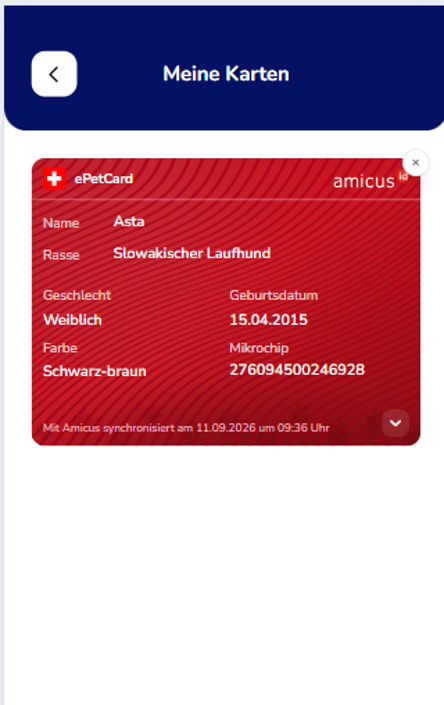
ePetCard
ePetCard – your most important cards always at hand
With the ePetCard, you have the most important information about your pet directly available in animundo. Depending on the insurance policies linked to your pet, additional digital cards may also be available in the card section.
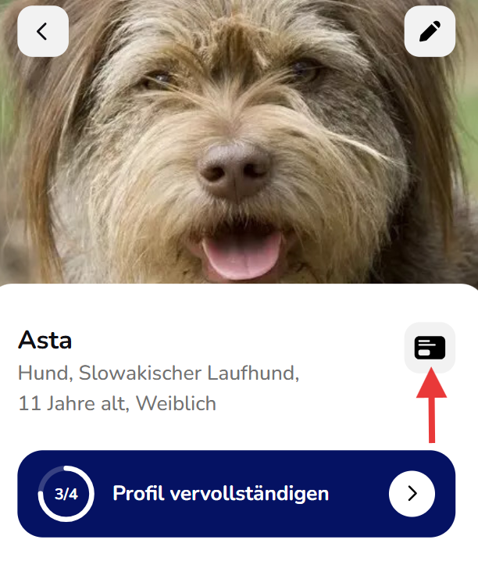
Open the ePetCard
- Open the desired pet profile.
- Tap the card icon in the top-right corner next to your pet’s information.
- Your ePetCard will be displayed. You can switch between the available cards.
The ePetCard contains important information about your pet, such as name, breed, gender, date of birth, colour and microchip number.
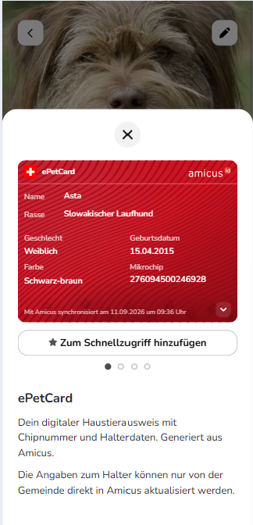
For dogs linked to AMICUS, the data is synchronized with AMICUS. Information about the pet owner can only be updated in AMICUS through the responsible municipality.
Which cards are available?
The following cards may be available in the card section:
- ePetCard
- Health Insurance Card
- Legal Protection Insurance Card
- Accident Insurance Card
This gives you quick access to important information and proof of insurance for your pet in one central place.
Add a card to Quick Access
If you want even faster access to your cards, you can add them to Quick Access:
- Open the card section using the card icon in the pet profile.
- Tap “Add to Quick Access” below the desired card.
- The “Cards” tile will then appear in the Quick Access section of your pet profile.
- Tap “Cards” to access your available cards directly.
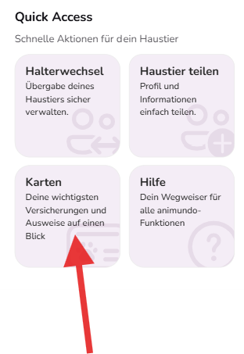
Tip: Quick Access gives you fast access to frequently used features for your pet without having to search for them.