Change of Pet Owner
With the Change of Pet Owner feature, you can transfer your pet’s profile to a new owner. You decide which additional information from the pet profile you want to share. The transfer is quick and secure using a QR code.
How to transfer your pet to a new owner
- In the animundo app, open the pet profile of the pet you want to transfer to a new owner.
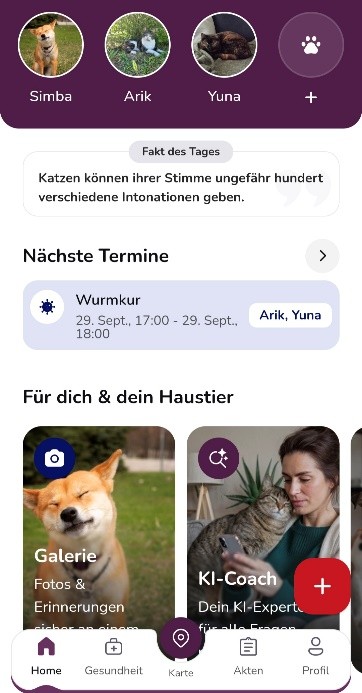
- Scroll down to “More functions” in the pet profile and select “Change of Pet Owner”.
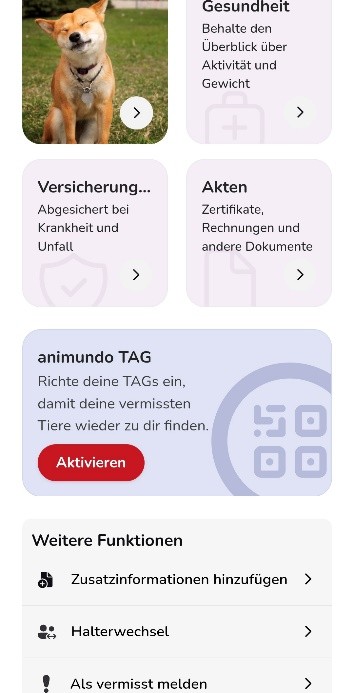
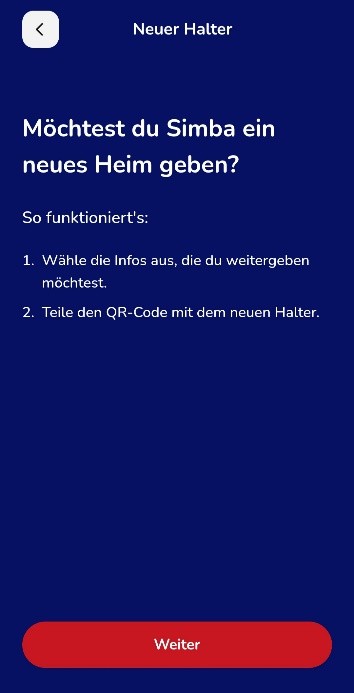
- You will see a brief explanation of how the change of pet owner works. Tap “Next”.
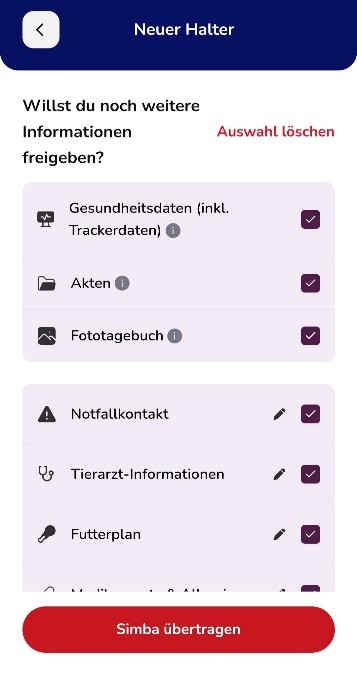
- Select which additional information you want to share with the new owner. This may include health data, documents, photo diary, emergency contact, veterinarian information or feeding plan. Tap “Select all” to select all available information at once.
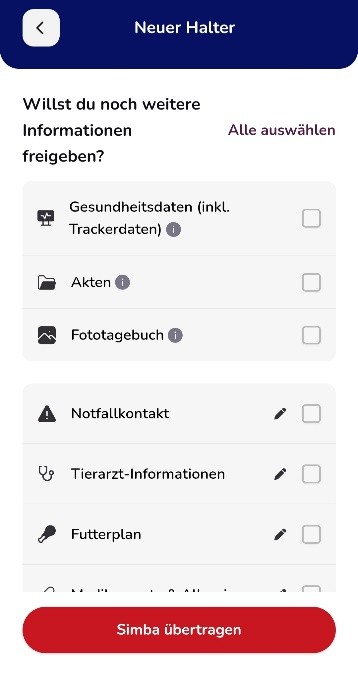
- Use the pencil icon to edit specific information before the transfer if necessary.
- Once you have made your selection, tap “Transfer [pet’s name]”.
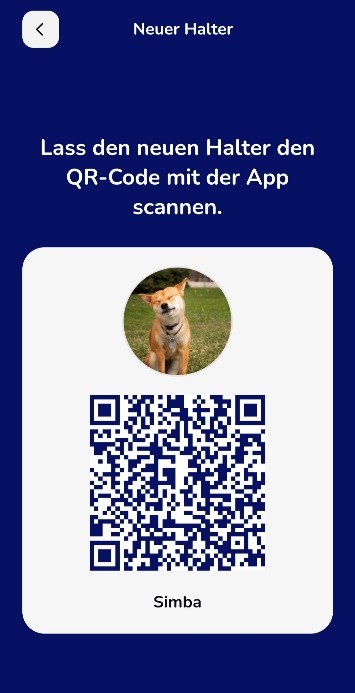
- A QR code will now appear on your smartphone. Keep this screen open and show the QR code to the new owner.
How the new owner accepts the pet
The new owner also needs the animundo app and should follow these steps:
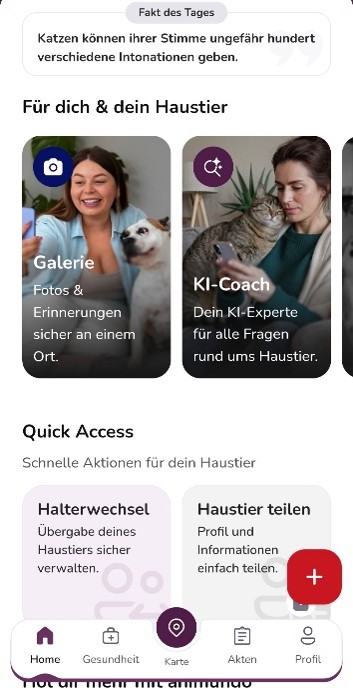
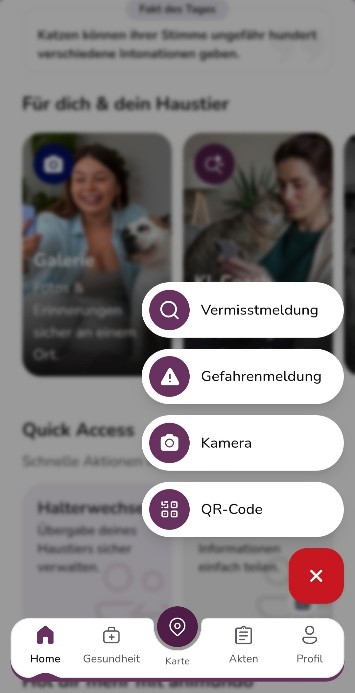
- On the dashboard, tap the red “+” to open the Action menu.
- Select “QR Code” and scan the QR code displayed on the previous owner’s smartphone.
- Once the QR code has been successfully scanned, the pet whose profile is being transferred to you will be displayed.
- Tap “Accept” to confirm the transfer of the pet profile.
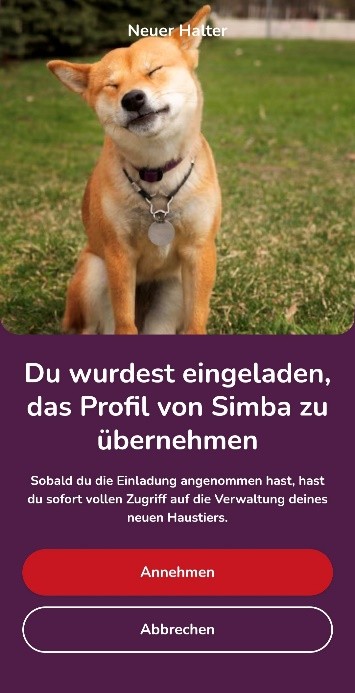
- Once the transfer is complete, the confirmation “The change of pet owner was successful!” will appear.
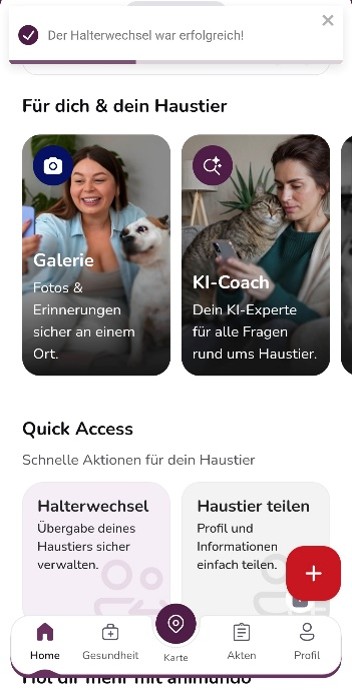
The pet and the information shared by the previous owner will then be available to the new owner in animundo.
Note: Before transferring the pet, carefully check which information you want to share. Personal or medical information should only be transferred if it is intended for the new owner.