Weight Tracker
With the Weight Tracker, you can regularly record your pet’s weight and track its development over a longer period of time. You can also set an individual target weight range and receive reminders to update your pet’s weight regularly.
Open the Weight Tracker
- Open the desired pet profile.
- Tap “Health”.
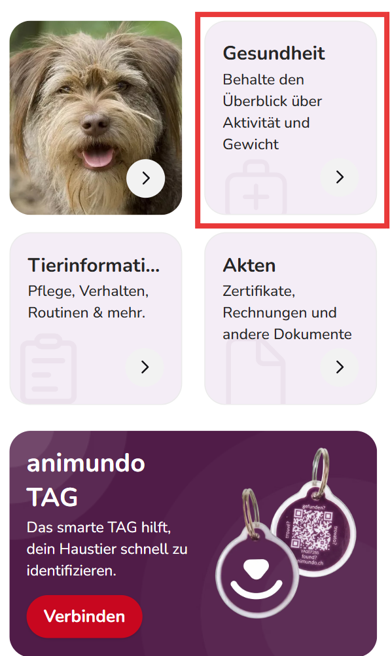
- Under “Tracking”, select “Weight Tracker”.
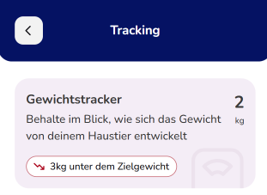
- You will see the most recently entered weight as well as your pet’s weight history.

Add a new weight
To record your pet’s current weight:
- Tap the plus icon (+) next to the current weight.
- Enter your pet’s new weight.
- Select the corresponding date of the measurement.
- Tap “Save”.
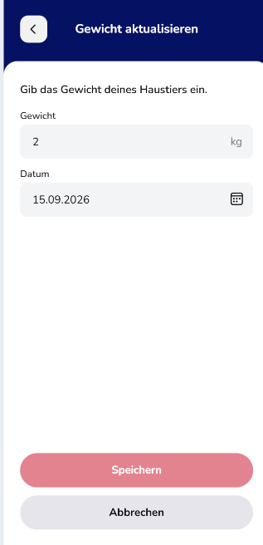
The new weight will then be added to your pet’s weight history.
Track weight development
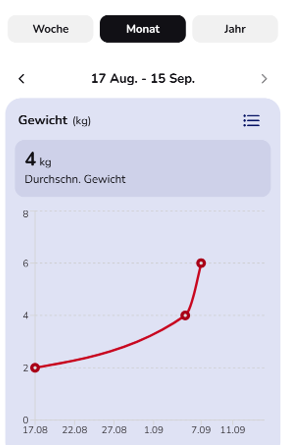
DThe recorded values are displayed clearly, allowing you to quickly identify changes in your pet’s weight.
You can view the development over different periods:
- Week
- Month
- Year
You will also see the average weight for the selected period. If you have set a target weight range, animundo will notify you when the recorded weight is outside this range.
Set target weight and preferences
Tap the gear icon in the top-right corner of the Weight Tracker to open the settings.
There you can configure the following options:
- Target weight: Set the weight range you have defined as the target for your pet. You can enter a lower and an upper value.
- Unit: Choose whether the weight should be displayed in kilograms (kg) or pounds (lb).
- Reminder notifications: Enable notifications if you would like to be reminded to update your pet’s weight regularly. If no new weight has been entered for more than one month, you will receive a reminder.

Tip: Regularly recording your pet’s weight can help you identify changes early and track your pet’s development over a longer period of time.