Link AMICUS & ANIS
Du kannst dein Haustier direkt mit AMICUS oder ANIS verknüpfen. Je nachdem, ob du bereits ein Tierprofil in animundo erstellt hast, gibt es verschiedene Wege zur Verknüpfung.
Add a new pet
If you haven’t added a pet to animundo yet:
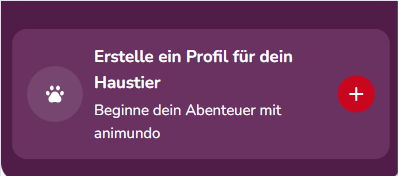
On the Dashboard, tap the plus button (+) on the “Create a profile for your pet” banner.
If you have already added pets
If you already have one or more pets in animundo, tap the paw button to add another pet and start the linking process.
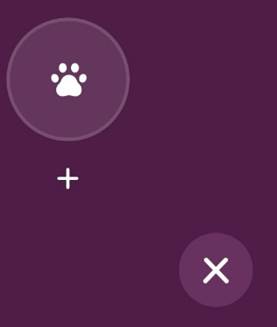
If you already have one or more pets in animundo, tap the paw button to add another pet and start the linking process.
Alternatively, via your profile
You can also start the linking process from your profile:
- Tap “Profile” in the menu bar at the bottom.
- Under “Register”, select ANIS or AMICUS.
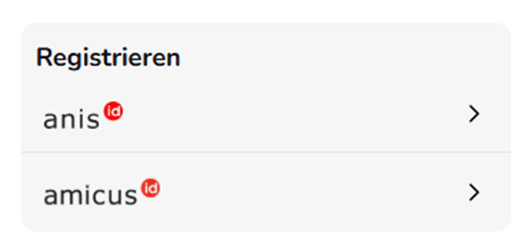
Link with AMICUS
In Switzerland, dogs must be microchipped and registered in the national dog database AMICUS. You can therefore link your dog directly to animundo via AMICUS.
Good to know: By linking your account, the data stored for your dog in AMICUS can be transferred directly to your pet profile in animundo.
- Select “Dog” and tap “Create pet”.
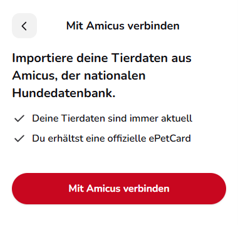
- On the next screen, you will see information about linking with AMICUS. Tap “Connect with Amicus”.
- Enter your AMICUS Person ID and AMICUS password. Your Person ID was provided to you when your pet was registered with AMICUS.
- Tap “Confirm” to log in and continue the linking process.
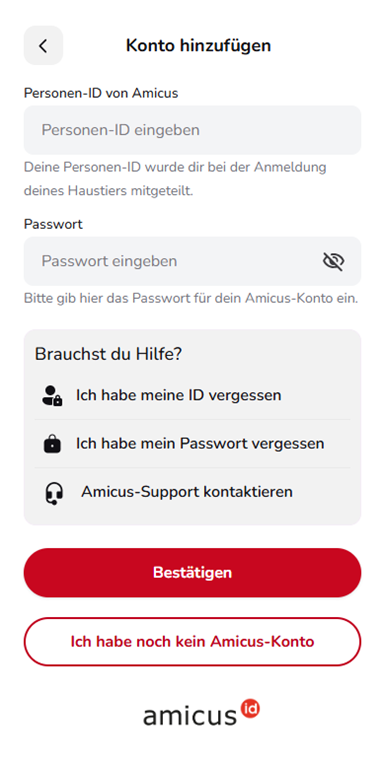
Having trouble logging in?
If you no longer know your login details, you will find several help options directly on the login screen:
- “I forgot my ID”
- “I forgot my password”
- “Contact Amicus Support”
If you select one of these options, you will be redirected to the relevant external AMICUS page.
If you don’t have an AMICUS account yet, tap “I don’t have an Amicus account yet”. You will also be redirected to AMICUS, where you can find further information.
Disconnect AMICUS
You can disconnect animundo from your AMICUS account at any time.
Here’s how:
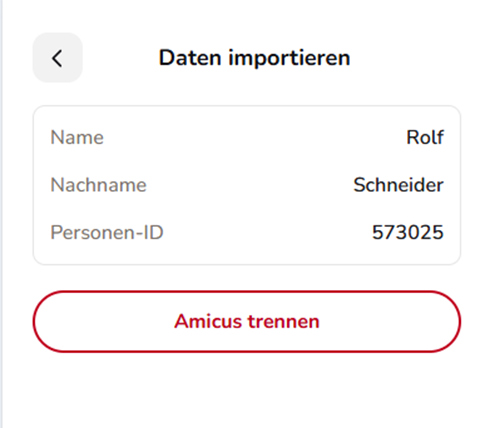
- Open “Import data”. Here you can see the details of the AMICUS account currently linked to animundo.
- Tap “Disconnect Amicus”.
- The connection between your animundo account and AMICUS will be removed.
- The pet linked via AMICUS will initially be deactivated and will be automatically removed from your animundo account after 30 days.
Important: Disconnecting only affects the data and pet profile in animundo. Your registration and the data stored in AMICUS will not be deleted or changed.
Link with ANIS
You can link your microchipped pet directly to animundo via ANIS. All companion animals except dogs can be registered with ANIS. Dogs are managed through the Swiss dog database AMICUS.
Here’s how:
- Under “Add pet to app”, select the appropriate animal type, for example “Cat” or “Other animal”.
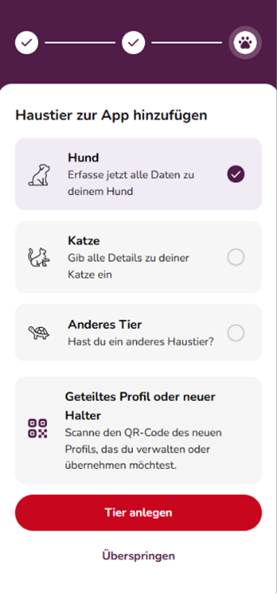
- Tap “Create pet”.
- Indicate that your pet is microchipped.
- You will then be given the option to link your pet with ANIS.
- Enter your ANIS Person ID. This was provided to you when your pet was registered.
- Enter the password for your ANIS account.
- Tap “Confirm”.
- Once you have successfully logged in, your ANIS account will be linked to animundo and you can import the pet data stored in ANIS.
Good to know: ANIS is intended for companion animals other than dogs. If you want to add a dog, you will need to link it via AMICUS instead.
Need help?
If you have forgotten your Person ID or password, you will find the relevant help options directly on the login page. You can also contact ANIS Support from there.
If you don’t have an ANIS account yet, tap “I don’t have an Anis account yet”. You will then be redirected to the relevant external ANIS page.