Missing Pet Reports
With Missing & Found, you can report a missing pet, search for missing animals in your area or report an animal you have found. Reports are displayed on the animundo map and in the list view, helping reunite pets with their owners as quickly as possible.
Report a missing pet
If your pet has gone missing, you can create a missing pet report directly in animundo.
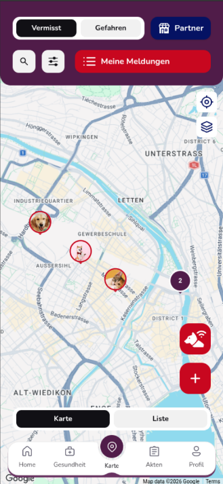
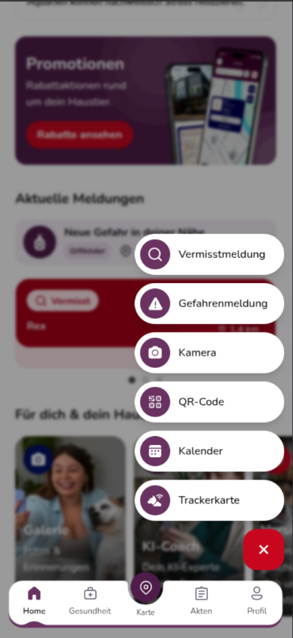
To do this, open the Map and select “Missing”. Tap the red “+” to create a new missing pet report. Alternatively, you can also find “Missing Pet Report” in the “+” action menu on the dashboard.
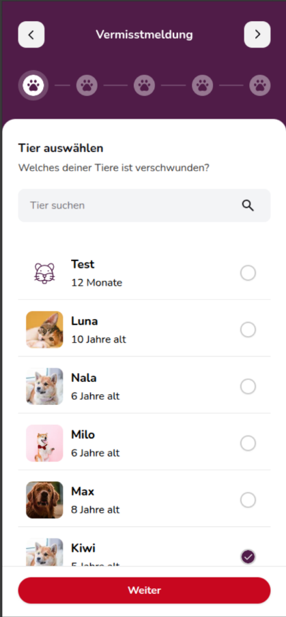
1. Select your pet
First, select which of your pets registered in animundo is missing.
If you have added multiple pets, you can use the search function to quickly find the one you are looking for. Select the relevant pet and tap “Next”.
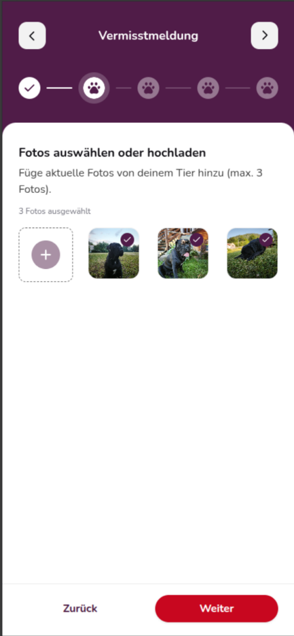
2. Select photos
Add recent photos of your pet. You can select or upload up to three photos.
Use clear, recent photos whenever possible. Pictures showing your pet’s distinctive features can help other users recognise it more quickly.
Then tap “Next”.
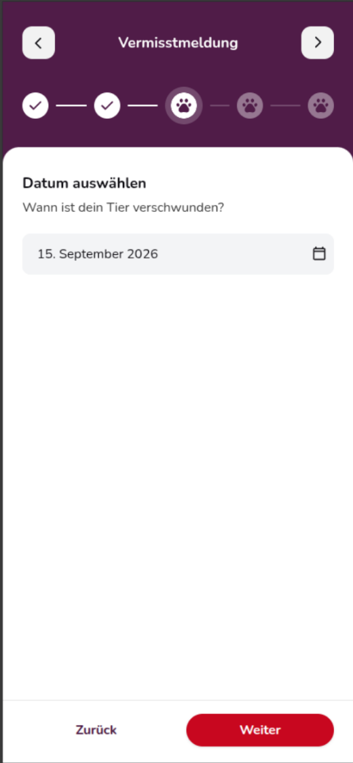
3. Enter the date
Specify when your pet went missing. Tap the date field and select the appropriate date.
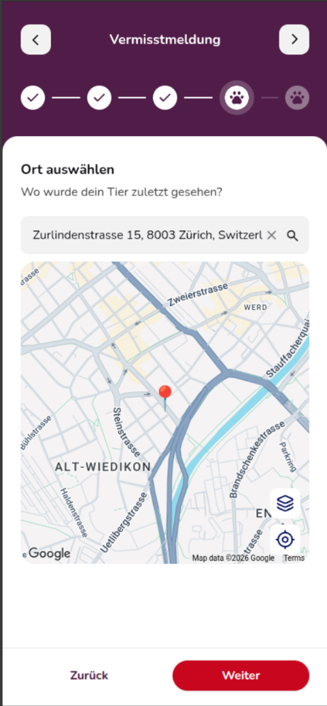
4. Enter the last known location
Specify the location where your pet was last seen.
You can search for an address and check the location on the map. The more accurately you specify the location, the easier it will be for other users in the area to help with the search.
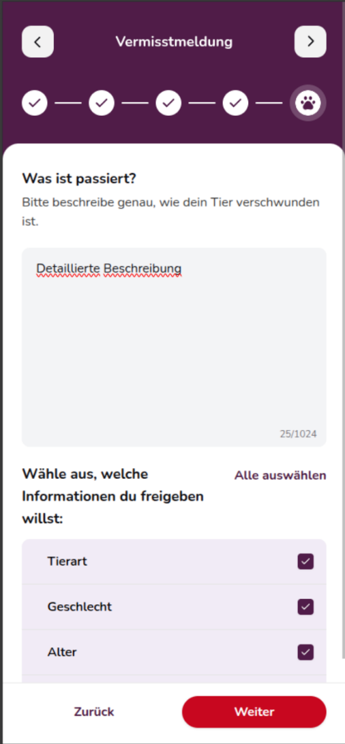
5. Describe the disappearance
Describe as accurately as possible how and under what circumstances your pet went missing.
Useful information may include where your pet was last seen, which direction it may have gone or any special characteristics that people should look out for.
You can then choose which information from your pet’s profile may be published in the missing pet report, such as:
- Animal species
- Sex
- Age
- Colour
- Neutering status
This allows you to decide which additional details other users can see when searching for your pet.
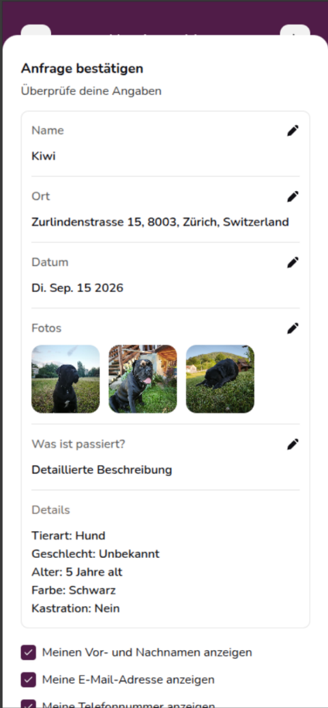
6. Review your information
Before publishing your missing pet report, you will see an overview of the information you have entered.
Check the following details carefully:
- Pet’s name
- Last known location
- Date
- Photos
- Description
- Shared pet information
You can use the pencil icon to edit individual details.
You can also choose which of your contact details may be displayed in the report, such as your first and last name, email address or phone number.
Once all the information is correct, you can publish your missing pet report.
7. Publish your missing pet report
Once published, your pet will appear on the Map and in the list of missing pets.
You can open your published report directly by tapping “View Missing Pet Report”.
For aniCare users: Your missing pet report will also be highlighted, making it more noticeable on the map and increasing its visibility to other users in the area.
Report a found animal
If you have found an animal, you can also create a report. Open the “Missing” section on the map, tap the red “+” and select “Found” to create a new report.
animundo will guide you through the process step by step.
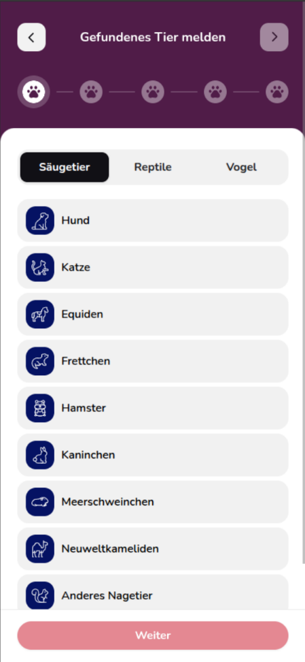
1. Select the animal species
Select the type of animal you have found. Depending on your selection, you can specify the species further, such as a dog, cat or another type of animal.
2. Check for a TAG
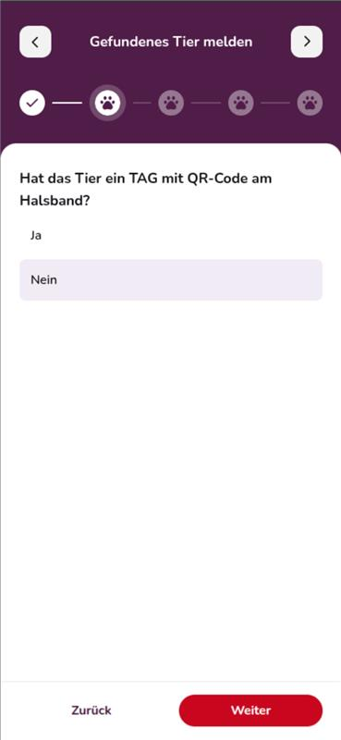
Check whether the animal is wearing an animundo TAG with a QR code.
If a TAG is present, you can scan the QR code. This allows the animal to be identified directly and helps locate its owner more quickly.
If the animal does not have a TAG, select “No QR Code on Animal” and continue with the found animal report.
3. Add a photo of the animal
Upload at least one clear photo of the animal you have found.
Make sure the animal and its distinctive features are clearly visible in the photo. You can use the trash icon to remove an uploaded image.

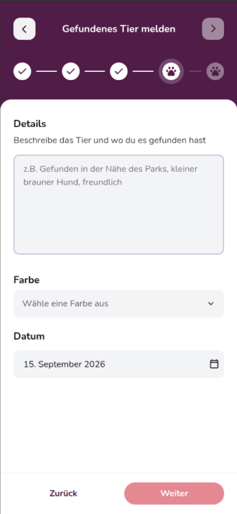
4. Describe the discovery
Describe the animal and the circumstances in as much detail as possible. For example, you can explain where you saw or found the animal and how it was behaving.
Also select the animal’s colour and enter the date it was found.
5. Select the location where the animal was found
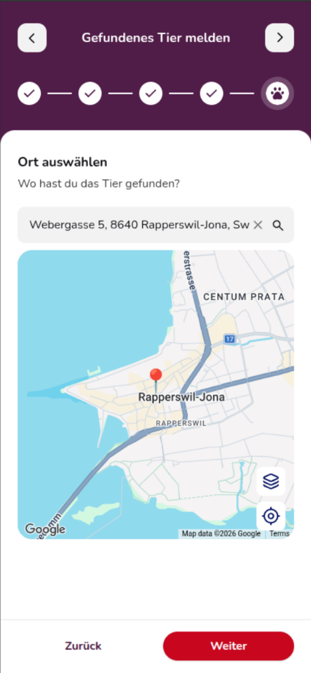
Specify where you found the animal.
Search for the relevant address and check the location on the map. Providing an accurate location makes it easier to match the found animal report with an existing missing pet report.
6. Review and publish your report
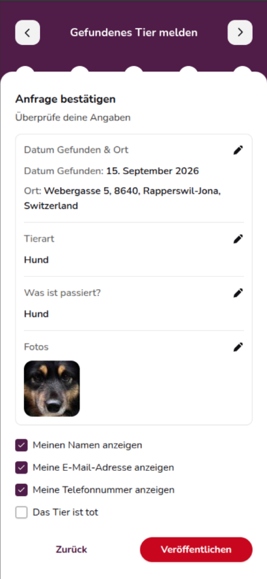
Before publishing, you will see a summary of your found animal report.
Review the information and use the pencil icon to make any necessary changes.
You can also choose which of your contact details may be displayed:
- Name
- Email address
- Phone number
If you unfortunately found the animal deceased, you can indicate this using the corresponding option.
Then tap “Publish”.
Once your report has been successfully submitted, animundo will confirm it. You will be notified if the owner of the found animal can be identified.
View missing and found animals
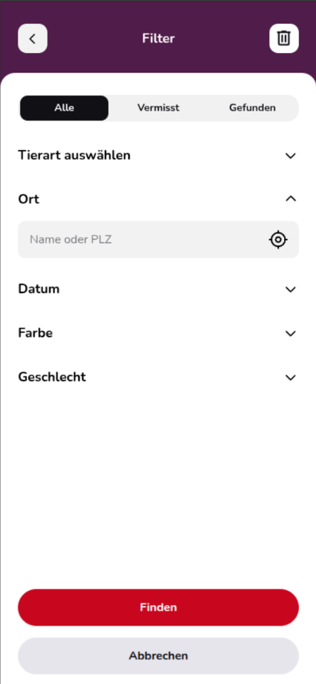
In the “Missing” section of the map, you can find current reports.
You can switch between the map view and list view. The map shows where animals have gone missing or been found.
You can use the search function and filters to narrow down reports, for example by name, location, microchip number or report number.
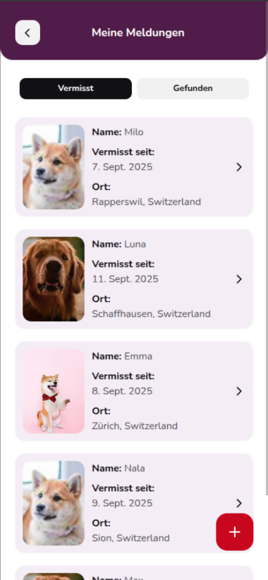
Under “My Reports”, you can also find your own reports. Here, you can switch between “Missing” and “Found”.

Report details
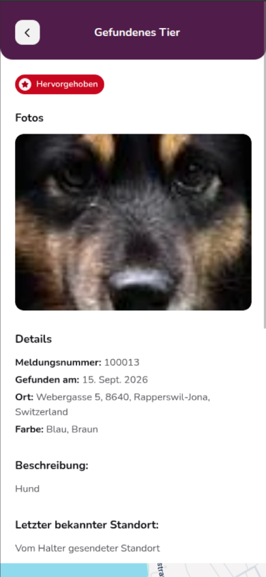
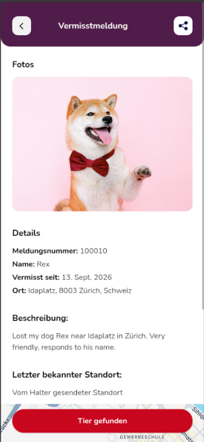
When you open a report, you can view additional information depending on what has been shared, such as:
- Photos
- Report number
- Date
- Location
- Colour
- Description
- Last known location
- Additional information about the animal
This allows you to check whether an animal you have seen or found might match an existing missing pet report.
You have found a missing pet
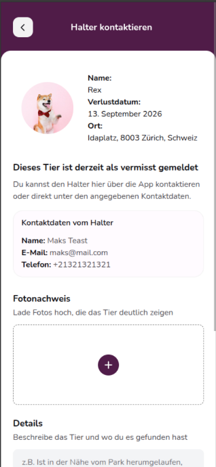
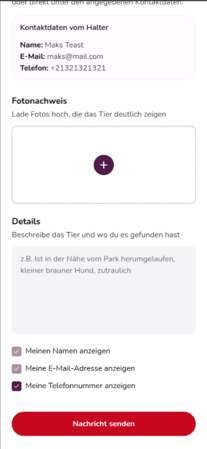
If you have found an animal that matches an existing missing pet report, open the report and tap “Pet Found”.
You can then upload photo evidence and describe where and under what circumstances you found the animal. The contact details shared by the owner can also help you get in touch.
You can also decide which of your own contact details you would like to share with the owner. Then tap “Send Message”.
Share a report or use it as a PDF
Missing and found animal reports can also be shared outside animundo. For example, you can inform friends, neighbours or people on social media about a missing or found animal.
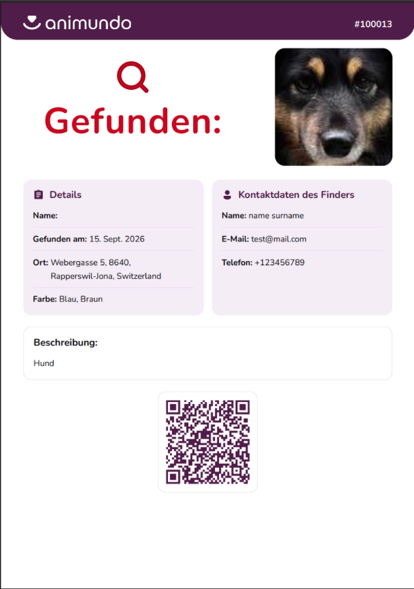
You can also create a PDF of a report. To do this, tap “Print PDF” in the missing pet report. The PDF contains the most important information, a photo of the animal and a QR code. The QR code links to the digital report, allowing people to access the latest information.
The PDF is ideal for printing and putting up posters or sharing digitally.