Report the Death of a Pet & “In Memory” Page
Saying goodbye to a pet is a special and emotional moment. In animundo, you can move your deceased pet to “In Memory” and keep the memories of your time together in your profile.
Report the death of a pet
If your pet has passed away, you can report this directly through the pet profile:
- Open the pet profile of the deceased pet.
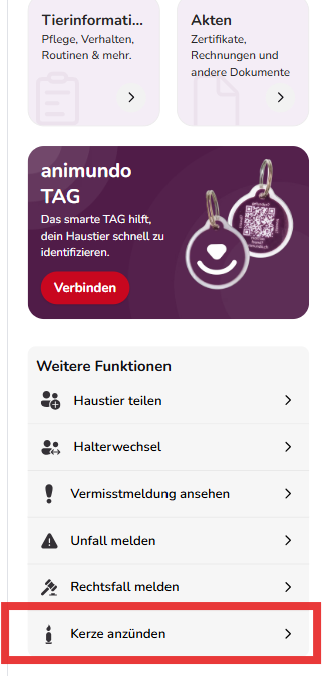
- Scroll down to “More functions”.
- Tap “Light a candle”.
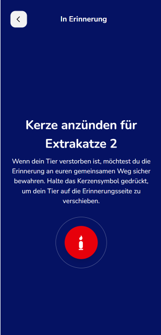
- You will be taken to the “In Memory” page.
- Press and hold the candle to confirm your pet’s death.
- After confirmation, your pet will be moved to the memorial section.
Important: Confirming the death report is final and cannot be undone. Before confirming, make sure that you have selected the correct pet.
If your pet is linked to AMICUS or ANIS, the death report will also be submitted to the corresponding database, where the animal will be registered as deceased.
View deceased pets
Your deceased pets remain in animundo as a lasting memory. You can access them at any time through your profile:
- Tap “Profile” in the bottom menu.
- Scroll down to the “Memories” section.
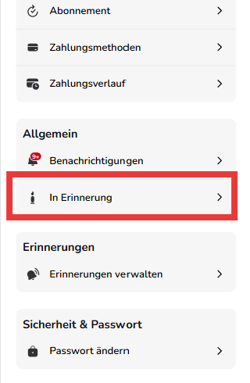
- Tap “In Memory”.
- Here you can find your deceased pets and open their memorial page.
This way, the memories of your pet remain with you in animundo even after saying goodbye.