Discover Partners
With the “Partners” feature, you can find businesses and service providers for your pet. Discover veterinarians, dog training schools, pet shops, grooming salons and other services in your area, and access the most important information about each partner directly.
Discover Partners on the Map
You can find partners in the “Map” section of the bottom navigation bar.
- Open “Map”.

- Tap “Partners” at the top.
- This will take you to the “Locations” overview.

- The available partners will be displayed on the map.
- Tap a location to open a preview of the partner.

- Tap “Details” to open the full partner profile.

Alternatively, you can tap “Visit Website” to open the partner’s website directly.
View Partners as a List
You can choose whether you prefer to discover partners on a map or in an organised list.
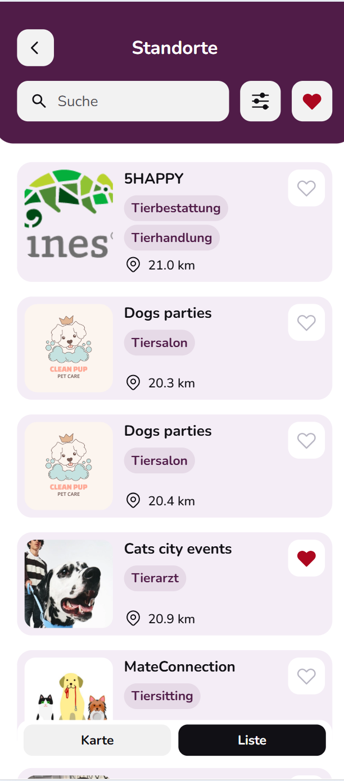
To switch between views, tap “Map” or “List” at the bottom of the screen. In List View, you can see information such as the name, business category and distance of the available partners.
Search for a Partner
You can use the search field to look for a specific partner. For example, enter the name of the business you are looking for.
This allows you to find a particular partner quickly without having to browse the entire map or list.
Filter Partners
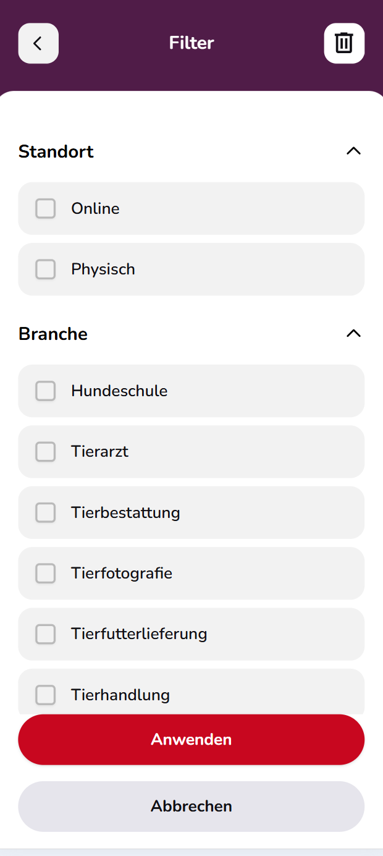
Use the filter icon next to the search field to narrow down the displayed partners.
You can filter by criteria such as:
- Location: Online or physical
- Business Category: For example, dog training schools, veterinarians, pet funeral services, pet photography, pet food delivery or pet shops
Select your preferred criteria and then tap “Apply”. Only partners matching your selection will be displayed.
View a Partner Profile
Tap a partner and then select “Details” to open the full partner profile.
Depending on the information provided by the partner, you can find additional details such as a business description, address, phone number, website and opening hours.
You can also share the partner profile with others using “Share”.
Save a Partner as a Favourite
Want to find an interesting partner again later? Tap the heart icon next to the partner.
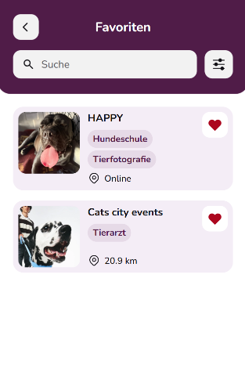
A filled heart indicates that the partner has been added to your favourites. You can access your saved favourites by tapping the heart icon at the top of the Locations overview.
You can also use the search and filter functions within your favourites to quickly find the partner you are looking for.
Tip: Use Map View to discover services in your area. List View is particularly useful when you want to quickly compare different partners and their distances.