Promotions
With Promotions, you can benefit from exclusive offers and discounts from our animundo partners. Discover current promotions in your area or from online shops and redeem them directly through the animundo app.
Access Promotions
You can find the available promotions directly on the Dashboard.
- On the Dashboard, scroll down to the “Promotions” section.
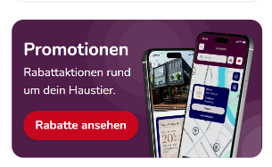
- Tap “View Discounts”.
- You will then see the available promotions on the map.
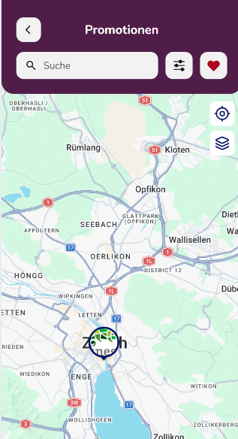
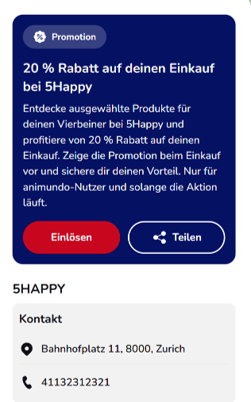
- Tap a promotion to view more information about the offer and the corresponding partner.
Search and Filter Promotions
Are you looking for a specific offer or business category? You can use the search function to find promotions.
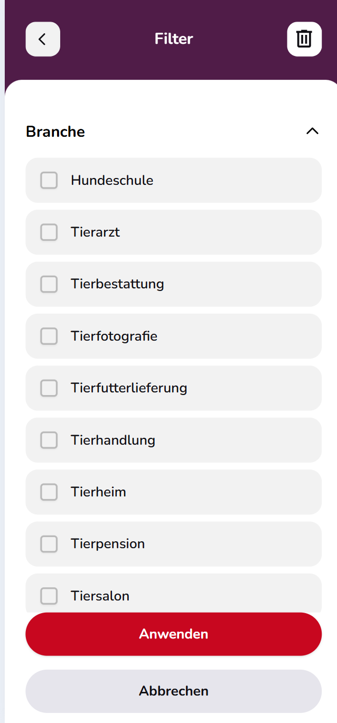
The filter icon also allows you to narrow down the displayed offers by business category, such as:
- Dog Training School
- Veterinarian
- Pet Funeral Services
- Pet Photography
- Pet Food Delivery
- Pet Shop
- Animal Shelter
- Pet Boarding
- Pet Grooming Salon
Select the desired categories and tap “Apply”.
Save a Promotion as a Favourite
nterested in a promotion and want to find it again later? Tap the heart icon.
You can access your saved favourites at any time by tapping the heart icon at the top of the promotions overview.
View Promotion Details
When you open a promotion, you can view additional information about the offer. This may include the available discount, a description of the promotion and the partner’s contact information.
You can also share an interesting promotion with others using “Share”.
Redeem a Promotion In-Store
For promotions offered at a physical store or business location, redemption takes place using a QR code:
- Open the desired promotion.
- Tap “Redeem”.
- If prompted, allow animundo to access your camera.
- Scan the QR code provided by the partner at their location.
- Once the QR code has been successfully scanned, the promotion will be activated.
- Show the confirmation in the app to the partner to receive the corresponding discount or benefit.
Important: Make sure the QR code is fully visible and well lit so your camera can recognise it.
Redeem a Promotion in an Online Shop
For online promotions, you do not need a QR code. Instead, you will be shown a promotional code.
- Open the desired promotion and tap “Redeem”.
- Copy the displayed promotional code.
- Open the partner’s online shop.
- Enter the code in the designated field during checkout.
The corresponding discount or benefit will be applied according to the promotion’s terms and conditions.
Good to Know
The terms and conditions may vary depending on the promotion. Therefore, always check the description and applicable conditions of each offer before redeeming it.
Some promotions may be available for a limited time, apply only to certain products or services, or be redeemable only once.